



MyBibleLens™
The Sanctuary App for Christianity
Bringing you closer to God in an exciting and easy way!
Scripture Canvas is an endless canvas for the Word. Stamp a verse, write around it, connect it to the next one and make it beautiful. Then come back tomorrow and pick up right where you left off.
Available now on iPhone & iPad · Android coming soon
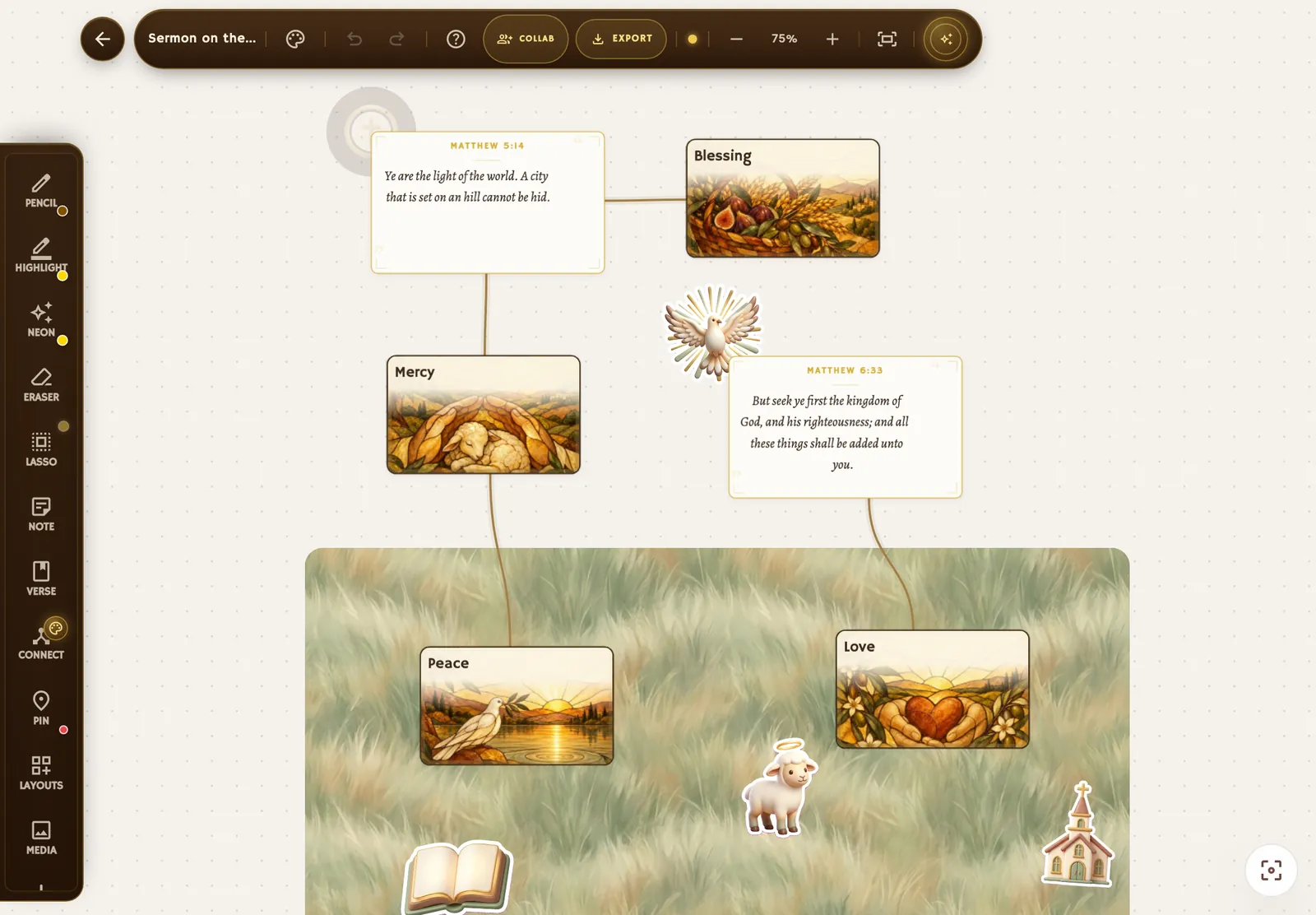
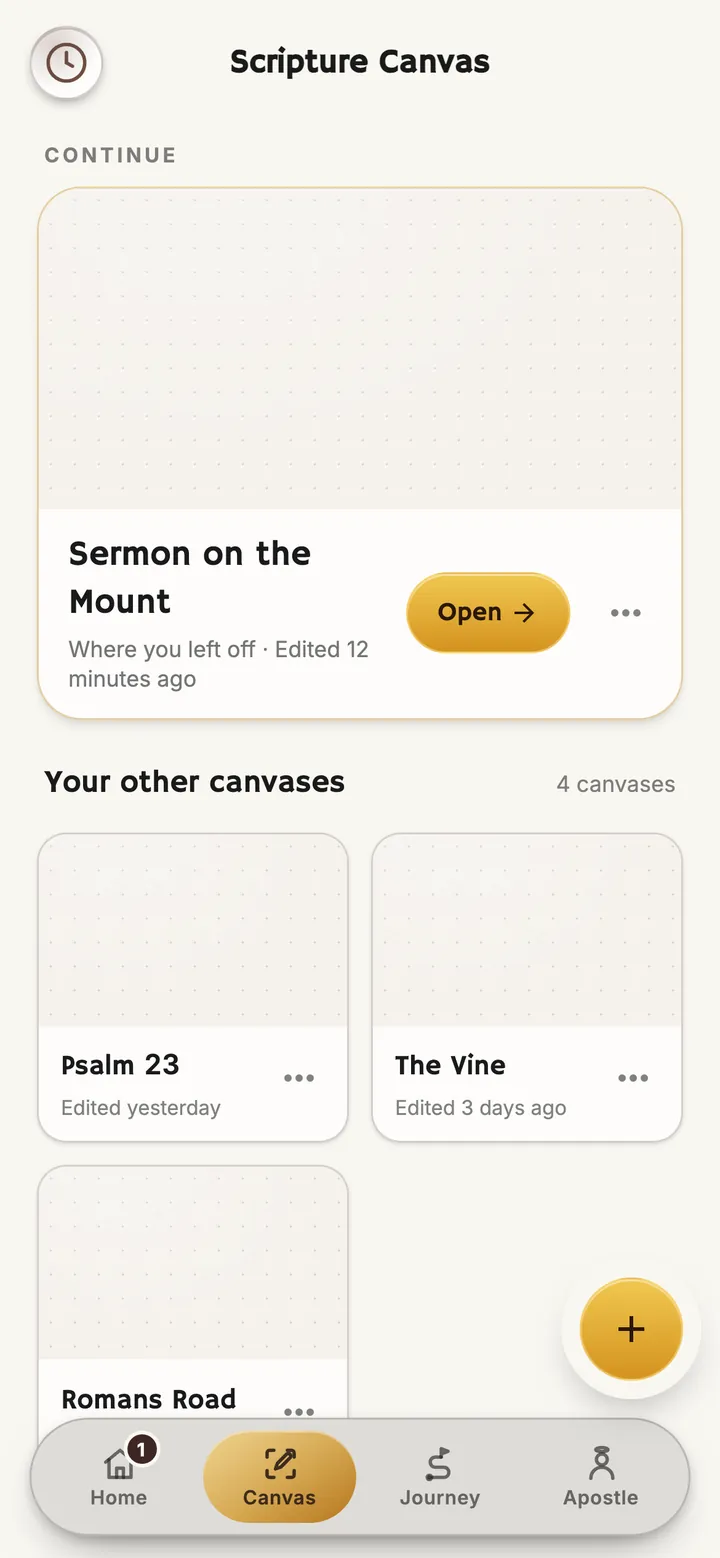
Screens from the app, with a sample account.
The island bar
Four rooms. One sanctuary.
Everything in MyBibleLens sits on one floating bar at the bottom of your screen. Tap a stop to see that room.
Drawn with the app's own icons. The gold pill marks where you are.
Together
Invitations, friend requests, your fellowship and your groups, all in one place.
Scripture CanvasJust you
Your own canvases, with the one you opened last waiting at the top.
JourneyRead calmly
A gentle reading plan in your own Bible, with reminders on the days you choose.
Apostle ProfileYour card
Your name, your avatar, the Kingdom ID friends use to find you, and your settings.
Scripture Canvas
An endless canvas for the Word.
Bible study is not a straight line. On Scripture Canvas a verse sits next to a note, a photo, a sticker and the verse it reminds you of, with room to keep going in every direction.
- VerseType the reference and the words from your Bible, and stamp a Scripture card.
- NoteTap Note, or double-tap empty space, and write. Some words come alive with their own art.
- ConnectJoin cards with connectors that stay attached as you move your ideas around.
- Pencil, Highlight, NeonWrite clean lines, lay down see-through colour, or glow with the LED pen.
- LassoCircle a whole idea and move it as one, or keep it in your private Lasso Vault.
- Sacred Layouts46 ready-made studies: verse ladders, timelines, maps and more.
- Stickers and landscapes1,119 original stickers in seven art styles and 68 landscapes to set the scene.
- Pin, Media, PresentDrop lettered markers, add your photos and present your study without the toolbars.
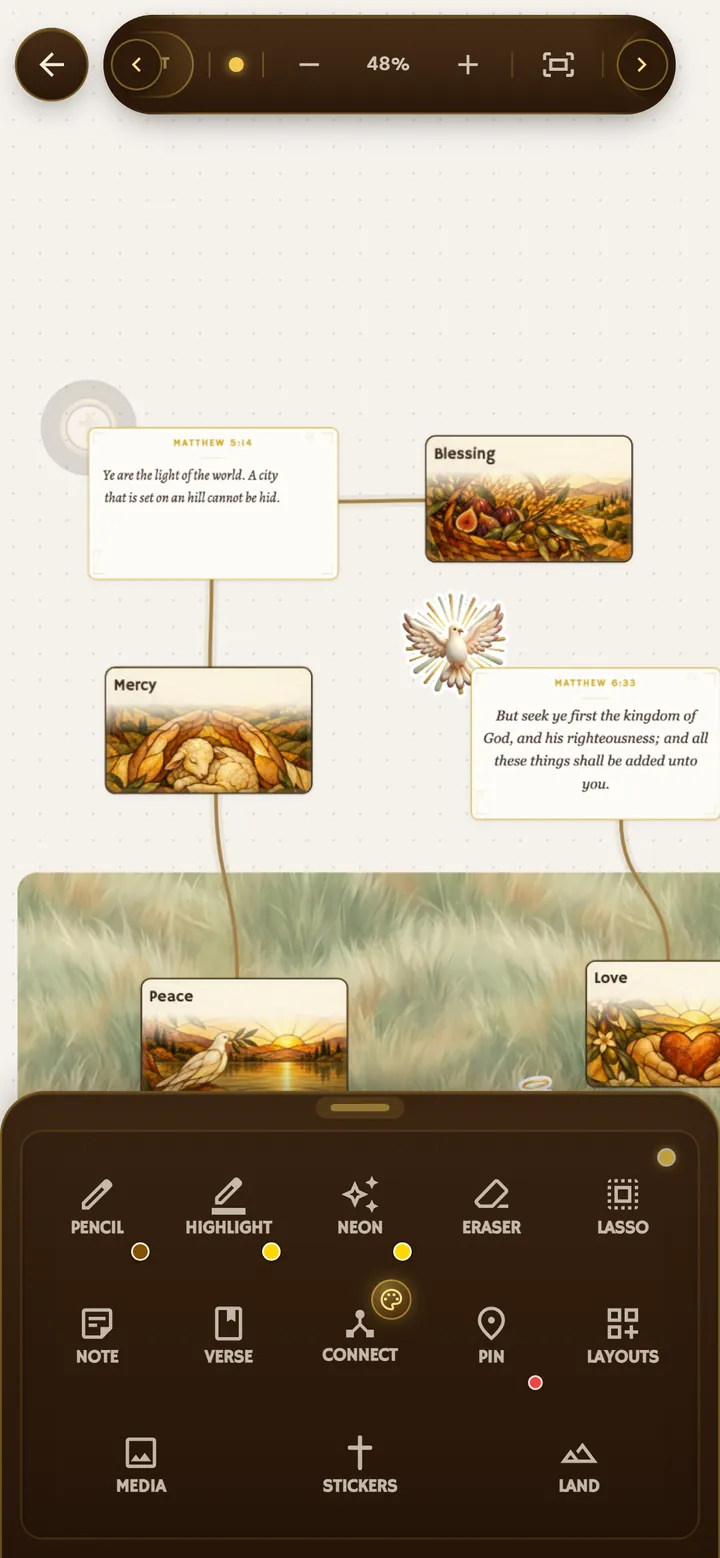
Right where you left off.
Every canvas opens on this device right where you last were. The Continue card keeps your latest canvas at the top of Scripture Canvas.
Step in and out with − and +, or tap the percentage for 100%, Fit everything and Zoom to selection.
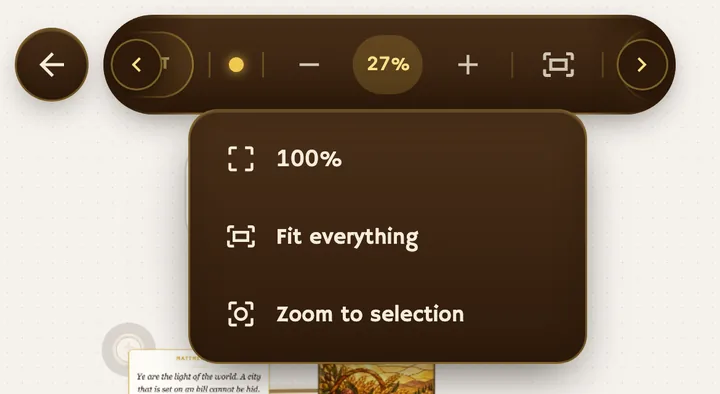
Zoom Canvas, for drawing.
A second kind of canvas for sketching. Divide the paper into regions, drop markers you can present one by one, find your way with the minimap, and save the view as a picture.
Make one from the same Add button as a Scripture Canvas.
Home
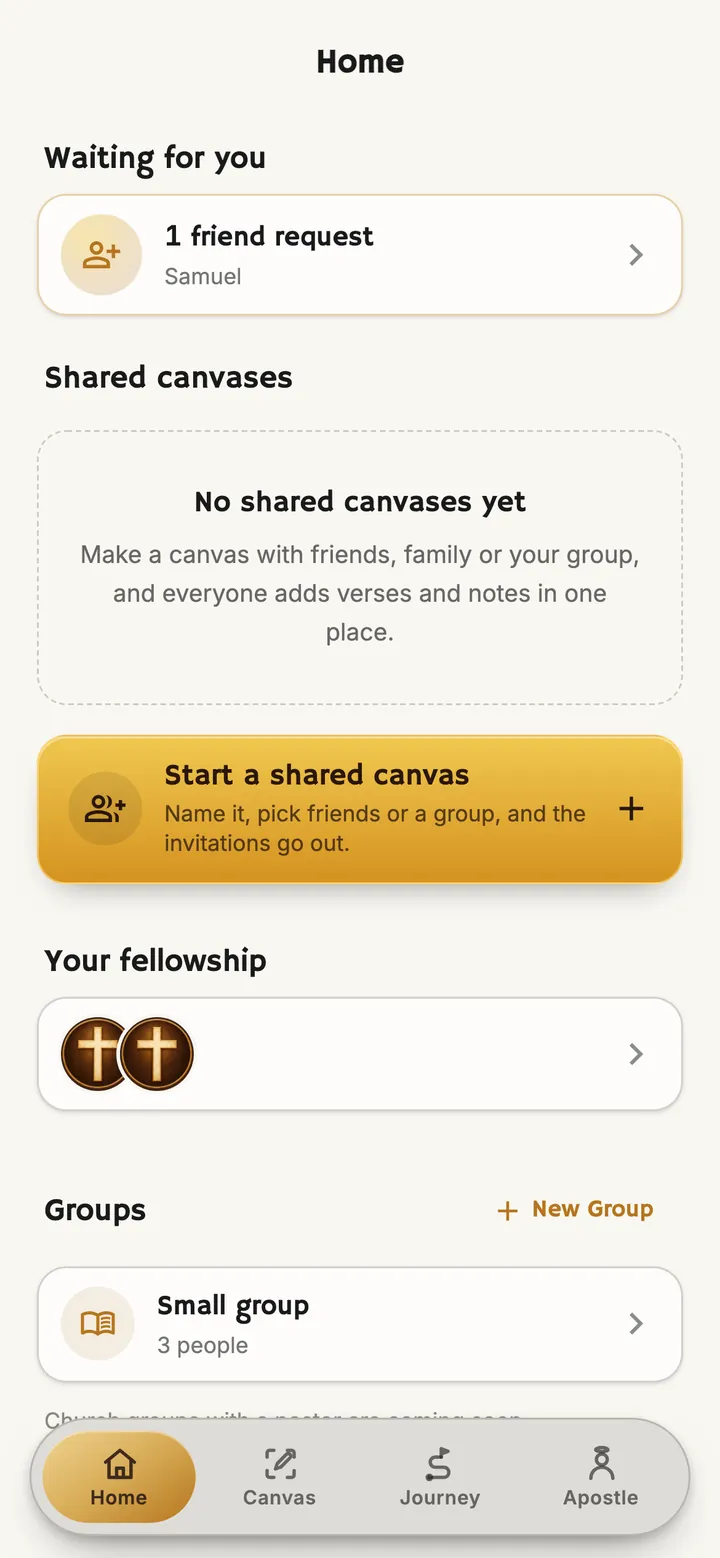
Home is for your people.
Scripture Canvas is just you. Home is together: everything that involves the people you study with lives in one place.
- Waiting for you. Friend requests and canvas invitations, ready to accept.
- Start a shared canvas. Name it and pick friends or a group.
- Your fellowship. The friends you added with their Kingdom ID. No directory, no public profile.
- Groups. Family, Bible Study or Church. Church groups with a pastor are coming soon.
Shared canvases open in an update. Until then, a canvas you start from Home stays yours, and your friends and groups are ready for the day sharing opens.
Journey
Read at your own pace.
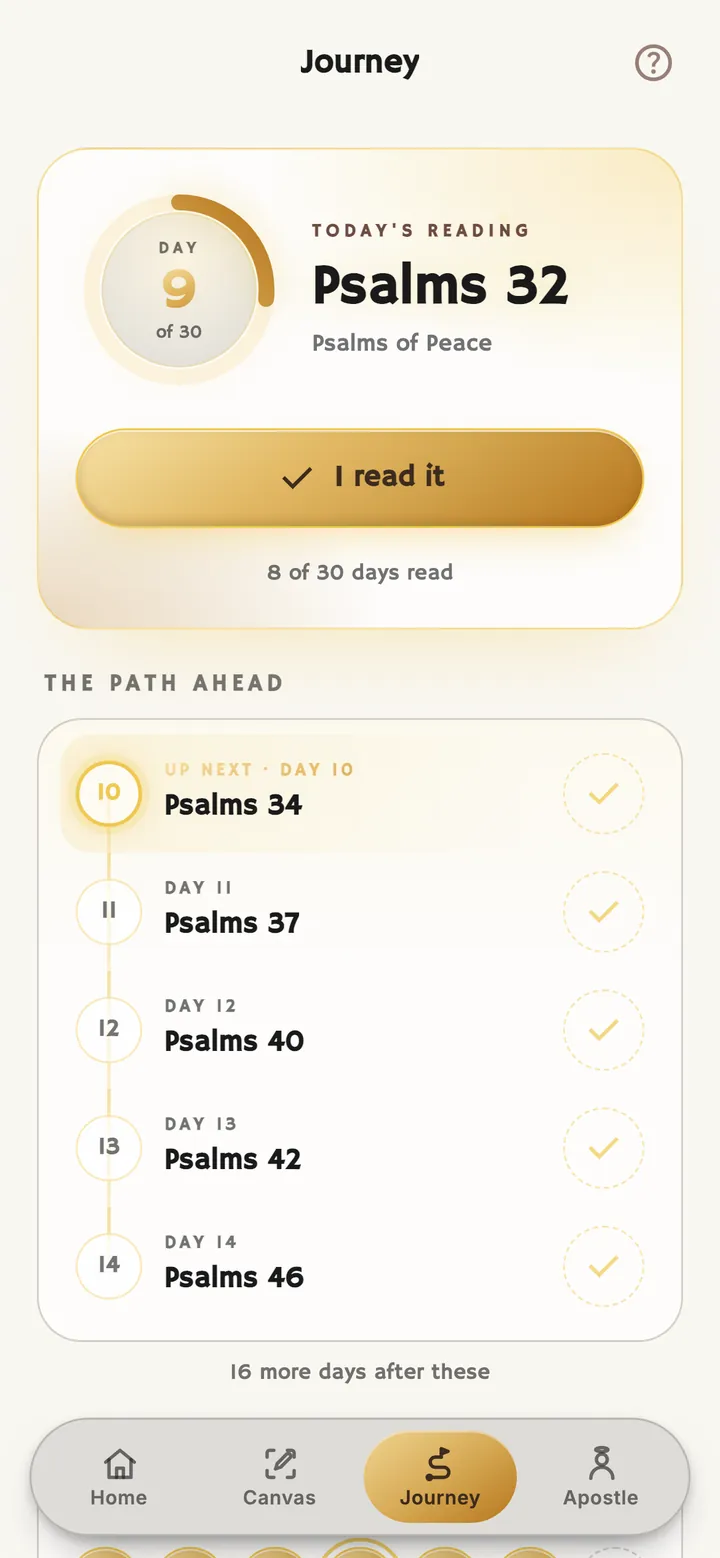
Choose a calm plan and read in your own Bible. There is no falling behind: today is always the next day you have not read.
Choose a plan
Which days feel right?
Plans and paces come from the app's own plan list. Nothing here is saved.
- You read in your own Bible, then tap I read it. Miss a day and nothing is lost.
- Reading reminders arrive on the days you choose, at the time you pick.
- Or read one book, any book of the Bible, one chapter a day.
- Widgets show today's reading on your Home Screen, or your Lock Screen where supported.
Themes and looks
Make it yours.
Sixteen themes recolour the whole app, from deep browns to bright linen. Turn on Flow for a slow drift of light across your theme.
Private by default
Quiet by design.
MyBibleLens is a place to meet God, not a place to scroll. These are promises we build around.
No AI voice
God already speaks. The app does not send your words or photos to an AI model.
No feed
No algorithm, no explore page and no likes. Nothing decides what you see.
No ads, no selling
Your prayers are not a product. We do not sell what you write or advertise against it.
Yours alone
Your canvases are private by default, and there are no public links to them.
Row-level access controls · Data encrypted at rest and in transit
Available now on iPhone & iPad
One sanctuary. iPhone and iPad.
Your canvases and your Journey stay in sync across iPhone and iPad. Android is coming soon.
Honest Answers
The questions friends ask before they trust us with their faith practice.
What is MyBibleLens?
MyBibleLens is a sanctuary app for Christianity built around Scripture Canvas, an endless canvas for the Word. You stamp verses, write notes, connect ideas and decorate a study with stickers and landscapes. Journey gives you a calm reading plan, and Home keeps your friends and groups close.
Does the app have the Bible in it?
No. You read in your own Bible, the one in your hands. On a canvas you type the reference and the words you want to keep, and in Journey you tap I read it when you finish a day.
Can I make a canvas with my church or small group?
Soon. Today you can add friends by their Kingdom ID, make groups and start a shared canvas from Home. Sharing opens in an update; until then that canvas stays yours. There are no public links and nothing is posted where strangers can find it.
What happens if I lose my phone or get a new one?
Sign in on the new device and your canvases and your Journey come back. They are saved to your account and stay in sync across your iPhone and iPad.
Is this for a specific denomination?
MyBibleLens is built for anyone who reads the Bible. It does not lean into any one denomination's distinctives. You'll find believers from Catholic, Protestant, Orthodox, and non-denominational backgrounds using it side by side. If a feature ever pushes a particular tradition, that's a bug. Tell us at info@mybiblelens.us.
How is my data protected?
Your canvases are private by default. Supabase Row-Level Security enforces this at the database level, and we never sell or advertise against your spiritual content. Read the full Privacy Policy and AI Disclosure for details.
Where can I get the app?
MyBibleLens is on the App Store for iPhone and iPad. We are rebuilding it around Scripture Canvas right now, so some things may change while we finish. The Android version is in the works. Follow @mybiblelens on Instagram to be the first to know.